
Keyless Entry: The Convenience of Smart Electronic Deadbolts
2026-06-08


Keyless Entry: The Convenience of Smart Electronic Deadbolts
In an age where technology permeates every aspect of our lives, the way we secure our homes is no exception. Smart electronic deadbolts, commonly known as keyless entry systems, are revolutionizing home security. These innovative devices offer unparalleled convenience, enhanced safety features, and the ability to manage access to your home with ease. This article delves deep into the world of smart electronic deadbolts, exploring their benefits, features, installation process, and answering frequently asked questions.
Table of Contents
- Understanding Smart Electronic Deadbolts
- Benefits of Keyless Entry Systems
- Top Features of Smart Deadbolts
- How to Install a Smart Electronic Deadbolt
- Top Smart Deadbolt Brands in the Market
- Security Considerations for Smart Deadbolts
- Common Issues and Troubleshooting Tips
- Conclusion
- FAQs
Understanding Smart Electronic Deadbolts
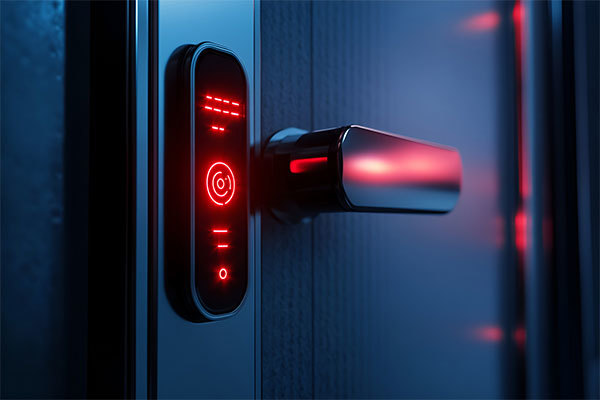
Smart electronic deadbolts are designed to replace traditional locks, allowing homeowners to unlock their doors without the need for physical keys. These devices utilize various technologies, including Bluetooth, Wi-Fi, and biometrics, to offer seamless access control. With a smart deadbolt, you can lock or unlock your door remotely via smartphone apps, a keypad, or even your voice, depending on the model. This shift from conventional locks to electronic systems not only enhances convenience but also increases the overall security of your home.
Benefits of Keyless Entry Systems
Enhanced Security Features
The primary benefit of smart electronic deadbolts is the enhanced security features they provide. Many models come with built-in alarms that notify you of unauthorized access attempts. Additionally, some can automatically lock after a specified period, ensuring your home remains secure even if you forget to lock the door.
Convenience and Accessibility
Keyless entry systems eliminate the hassle of carrying keys. You can provide temporary access to friends, family, or service personnel without needing to be physically present. This feature is particularly useful for vacation rentals or when you have guests staying at your home.
Integration with Smart Home Systems
Smart electronic deadbolts can integrate seamlessly with your existing smart home systems. By connecting your lock to smart hubs or devices like Amazon Alexa or Google Assistant, you can enhance your home automation setup. Imagine arriving home and having your door unlock automatically as you approach, or integrating your lock with your security cameras for added peace of mind.
Remote Monitoring and Control
Many smart deadbolts allow you to monitor your door status remotely. You can check if the door is locked or unlocked via your smartphone, giving you peace of mind whether you’re at home or away. In the event of a security breach, you can receive instant notifications, allowing you to respond quickly.
Top Features of Smart Deadbolts
Keyless Entry Options
Smart deadbolts offer multiple entry options, including keypad entry, smartphone apps, and even fingerprint recognition. This variety ensures that you can choose a method that suits your lifestyle and preferences.
Battery Backup
Power outages can occur unexpectedly, potentially leaving you locked out of your home if your deadbolt relies solely on electricity. Many smart deadbolts feature battery backup systems that ensure continued functionality even during a power failure.
Smart Notifications
Receive alerts on your smartphone whenever your door is accessed. This feature allows you to keep track of who enters or exits your home and at what time, providing an added layer of security.
Integration with Home Security Systems
Some smart deadbolts can integrate with home security systems, allowing for a comprehensive security solution. This integration can enable automatic locking when the security system is armed and notifications if the lock is tampered with.
How to Install a Smart Electronic Deadbolt
Installing a smart electronic deadbolt is a straightforward process that can typically be completed in less than an hour. Here’s a step-by-step guide:
Step 1: Choose the Right Lock
Select a smart deadbolt that fits your door type and security needs. Consider factors such as additional features, compatibility with your smart home system, and budget.
Step 2: Remove the Existing Deadbolt
Use a screwdriver to remove the screws holding the existing deadbolt in place. Carefully take out the deadbolt and remove the strike plate from the door frame.
Step 3: Install the Smart Deadbolt
Follow the manufacturer’s instructions to install the new smart deadbolt. Typically, this involves inserting the deadbolt into the door and securing it with screws. Make sure to align the locking mechanism with the strike plate.
Step 4: Connect to Wi-Fi and Configure the App
Download the corresponding app for your smart deadbolt, create an account, and follow the on-screen instructions to connect your deadbolt to your home Wi-Fi network. Ensure your smartphone is within range during this process.
Step 5: Test the Lock
After installation, test the lock to ensure it operates correctly. Check all entry methods, including the app, keypad, and any additional features.
Top Smart Deadbolt Brands in the Market
August Smart Lock Pro
The August Smart Lock Pro is known for its flexible installation options and compatibility with most existing deadbolts. It integrates well with smart home systems and offers excellent security features.
Schlage Encode Smart WiFi Deadbolt
Schlage’s Encode model comes with built-in Wi-Fi, allowing for direct connection without the need for additional hubs. This deadbolt features a keypad and can be controlled remotely through its app.
Yale Assure Lock SL
The Yale Assure Lock SL is a sleek and modern keyless entry solution. It allows for a keypad entry and integrates seamlessly with various smart home systems, making it a popular choice for tech-savvy homeowners.
Security Considerations for Smart Deadbolts
While smart electronic deadbolts provide enhanced security features, it's essential to understand potential vulnerabilities. Here are some security considerations:
Hacking Risks
Like any connected device, smart deadbolts can be susceptible to hacking. Ensure you choose a lock with strong encryption methods and keep your firmware updated to mitigate these risks.
Weak Wi-Fi Networks
Your home’s Wi-Fi network should be secured with a strong password and encryption to prevent unauthorized access to your smart devices, including your deadbolt.
Physical Security
Even the most advanced smart lock can be compromised if the door itself is weak. Invest in quality door hardware to complement your smart deadbolt.
Common Issues and Troubleshooting Tips
Battery Life Concerns
Regularly check the battery level of your smart deadbolt to avoid unexpected lockouts. Most models will alert you when battery life is low.
Connectivity Problems
If you're experiencing connectivity issues, ensure your Wi-Fi signal is strong near the deadbolt. Consider relocating your router or investing in a Wi-Fi extender if necessary.
Locking Mechanism Failures
Occasionally, a smart deadbolt may fail to lock or unlock. If this happens, troubleshoot by checking the alignment of the deadbolt and the strike plate, and ensure the locking mechanism is clean and free of debris.
Conclusion
Smart electronic deadbolts represent a significant advancement in home security, offering homeowners a blend of convenience, accessibility, and enhanced safety features. By choosing a high-quality smart deadbolt, you can simplify your life while ensuring that your home remains secure. With options that cater to various needs and lifestyles, keyless entry systems are becoming an integral part of modern home security solutions. By staying informed about the latest advancements and understanding how to effectively install and utilize these devices, you can embrace the future of home security with confidence.
FAQs
1. What is a smart electronic deadbolt?
A smart electronic deadbolt is a keyless entry system that allows you to lock and unlock your door using a smartphone app, keypad, or biometric recognition, enhancing convenience and security.
2. Are smart deadbolts easy to install?
Yes, most smart deadbolts come with user-friendly instructions and can typically be installed within an hour without professional help.
3. How do I choose the right smart deadbolt for my home?
Consider factors such as compatibility with your existing door, the desired entry methods, security features, and integration capabilities with your smart home system.
4. What happens if the battery of my smart deadbolt dies?
Most smart deadbolts include a battery backup feature, but it's essential to regularly check the battery level to avoid getting locked out.
5. Can I control my smart deadbolt remotely?
Yes, most smart deadbolts have smartphone apps that allow you to monitor and control your lock remotely, providing real-time updates and the ability to grant access from anywhere.
Related News

Lockai Obtains Official UL 294 Certification for Commercial Hotel Smart Lock Systems

Follow Lockai Lock Industry

Mobile Official Website
Lockai Lock Industry

Address: Building 10, Room 603, Optoelectronics Industrial Park, Leliu Street, Shunde District, Foshan City, Guangdong Province
Technical Support:China Enterprise Dynamics Shunde SEO Tags