
Unlocking Convenience: The User Experience of Smart Electronic Deadbolts
2025-12-26


Unlocking Convenience: The User Experience of Smart Electronic Deadbolts
In today's fast-paced world, convenience and security are at the forefront of every homeowner's priorities. Traditional locks are being replaced by advanced smart electronic deadbolts that not only enhance security but also provide a seamless user experience. In this article, we will explore the various aspects of smart electronic deadbolts, their benefits, features, and how they revolutionize home security. Whether you're a tech enthusiast or simply looking to upgrade your home security system, this comprehensive guide will cover everything you need to know.
Table of Contents
- What Are Smart Electronic Deadbolts?
- How Smart Electronic Deadbolts Work
- Benefits of Smart Electronic Deadbolts
- Key Features to Look For in Smart Electronic Deadbolts
- Top Smart Deadbolt Brands and Their Offerings
- Installation and Setup of Smart Electronic Deadbolts
- Maintaining Your Smart Electronic Deadbolt
- Common Issues and Troubleshooting Smart Deadbolts
- Conclusion
- FAQs
What Are Smart Electronic Deadbolts?
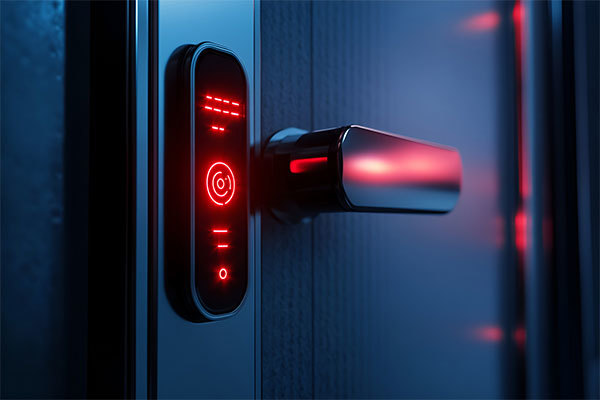
Smart electronic deadbolts are advanced locking mechanisms that integrate technology to provide enhanced security and convenience for homeowners. Unlike traditional deadbolts that require a physical key, smart deadbolts allow users to unlock their doors using smartphones, keypads, or biometric scanners. These locks are designed to offer a seamless and user-friendly experience while ensuring optimal safety for your home.
Types of Smart Electronic Deadbolts
Smart electronic deadbolts come in various types, each catering to different user preferences:
- Keypad Deadbolts: Users can enter a code on a keypad to unlock the door.
- Smartphone-Enabled Deadbolts: These locks can be controlled via a dedicated app on your smartphone.
- Biometric Deadbolts: Utilize fingerprint recognition to unlock the door.
- Remote-Controlled Deadbolts: Allow locking and unlocking from a distance using a remote control.
How Smart Electronic Deadbolts Work
The functionality of smart electronic deadbolts is rooted in their advanced technology. At their core, these locks consist of several key components:
1. Electronic Lock Mechanism
This mechanism replaces the traditional keyhole, allowing for various input methods such as keypads, smartphones, or biometrics. The lock is typically battery-powered, ensuring that it remains functional even during power outages.
2. Connectivity
Many smart deadbolts connect to your home Wi-Fi network, enabling remote access and control through a smartphone app. This connectivity also allows for integration with other smart home devices, enhancing overall home automation.
3. Security Features
Smart electronic deadbolts often come with features such as auto-lock, tamper alerts, and secure encryption protocols, ensuring that your home remains safe from unauthorized access.
Benefits of Smart Electronic Deadbolts
Investing in smart electronic deadbolts offers a multitude of benefits, making them an attractive option for homeowners. Here are some key advantages:
Enhanced Security
Smart deadbolts provide advanced security features that deter break-ins. With features like tamper alerts and auto-locking, users can feel confident that their homes are protected.
Convenience
Say goodbye to fumbling for keys! Smart locks enable keyless entry, allowing homeowners to unlock their doors with ease. This is especially beneficial for families with children or elderly members who may struggle with traditional keys.
Remote Access
One of the standout features of smart electronic deadbolts is the ability to lock or unlock your door remotely. Whether you're at work or on vacation, you can grant access to guests or service providers through your smartphone.
Integration with Smart Home Systems
Smart electronic deadbolts can easily integrate with other smart home devices. For instance, you can pair them with smart cameras, alarms, and lighting systems to create a fully automated home security setup.
Key Features to Look For in Smart Electronic Deadbolts
When choosing a smart electronic deadbolt, it's essential to consider key features that enhance usability and security:
1. Compatibility with Smart Home Systems
Ensure that the smart deadbolt you choose is compatible with your existing smart home ecosystem, such as Amazon Alexa, Google Assistant, or Apple HomeKit.
2. User Management
Look for locks that allow you to create unique access codes for different users. This feature is particularly useful for families and guests, providing temporary access without compromising security.
3. Battery Life and Backup Options
Consider the battery life of the smart deadbolt and whether it has backup options, such as a physical key override, in case of battery failure.
4. Security Features
Prioritize locks with advanced security features, such as encryption technology, tamper alerts, and auto-lock functionality.
5. User-Friendly App
A well-designed app enhances the user experience. Look for apps that are easy to navigate and offer clear functionalities.
Top Smart Deadbolt Brands and Their Offerings
Several brands stand out in the market for smart electronic deadbolts. Here are some of the most reputable brands and what they offer:
1. August Smart Lock
August is known for its innovative approach to smart locks. Their products allow users to retrofit their existing deadbolts, which means you can keep your traditional keys while enjoying smart features.
2. Schlage Encode
Schlage offers a range of smart locks with built-in Wi-Fi, eliminating the need for additional hubs. Their locks are known for durability and security, making them a popular choice among homeowners.
3. Yale Assure Lock
Yale's Assure Lock series provides various options, including keypad and smart home compatibility. Their locks are praised for their design and reliability.
4. Kwikset Kevo
Kwikset's Kevo smart lock allows users to unlock their doors via smartphones and provides unique features like virtual keys for guests.
Installation and Setup of Smart Electronic Deadbolts
Installing a smart electronic deadbolt can be a straightforward process, particularly if you're replacing an existing deadbolt. Here’s a step-by-step guide:
1. Gather Tools
Before starting, ensure you have the necessary tools: a screwdriver, a drill, and a measuring tape.
2. Remove Existing Deadbolt
If you're replacing an existing deadbolt, begin by removing it from the door. Follow the manufacturer’s instructions for disassembling the lock.
3. Install the Smart Deadbolt
Follow the installation instructions provided by the manufacturer. Typically, this involves inserting the lock cylinder, attaching the mounting plate, and securing the exterior and interior components.
4. Connect to Wi-Fi
Once installed, connect your smart deadbolt to your home Wi-Fi network using the accompanying app. This step will allow for remote access and monitoring.
5. Test Functionality
Before completing the installation, test the lock to ensure it functions correctly. Confirm that you can lock and unlock using the app, keypad, or any other available methods.
Maintaining Your Smart Electronic Deadbolt
Regular maintenance ensures the longevity and functionality of your smart deadbolt. Here are some tips:
1. Clean the Lock
Periodically wipe down the exterior of the lock to remove dirt and debris. Avoid harsh chemicals that may damage the finish or electronics.
2. Replace Batteries
Keep track of battery life and replace batteries as needed. Most smart locks will send notifications when batteries are running low.
3. Update Firmware
Manufacturers may release firmware updates to enhance security and performance. Regularly check for updates through the app.
4. Test Functionality
Perform routine tests on the lock to ensure it functions properly. Check both manual and smart operating methods.
Common Issues and Troubleshooting Smart Deadbolts
While smart electronic deadbolts are designed for reliability, users may encounter issues. Here are common problems and their solutions:
1. Connectivity Issues
If your lock is not responding to the app, check your Wi-Fi connection and ensure the lock is within range of the router. Restarting the lock may also help.
2. Battery Problems
Low battery can lead to malfunction. If the lock is not responding, replace the batteries and test again.
3. App Functionality
Ensure that the app is up to date. Uninstalling and reinstalling the app may resolve performance issues.
4. Mechanical Issues
If the lock is physically stuck, check for any obstructions around the locking mechanism. Lubricating the lock may also help in such cases.
Conclusion
In conclusion, smart electronic deadbolts represent a significant leap forward in home security technology. Their combination of convenience, advanced features, and integration with smart home systems makes them an attractive option for homeowners seeking to enhance their security measures. With a variety of types and brands to choose from, finding the right smart deadbolt can cater to individual preferences and needs. By understanding the features, benefits, and maintenance tips outlined in this article, homeowners can make informed decisions that ensure their homes remain secure and convenient.
FAQs
1. Are smart electronic deadbolts secure?
Yes, smart electronic deadbolts offer advanced security features like encryption and tamper alerts that enhance safety compared to traditional locks.
2. Can I still use a key with a smart deadbolt?
Many smart deadbolts come with a physical key override, allowing users to access the lock using a traditional key if necessary.
3. How long do the batteries last in a smart deadbolt?
The battery life of a smart deadbolt can vary but typically lasts between 6 months to 1 year, depending on usage and brand.
4. Can I integrate my smart deadbolt with other smart home devices?
Yes, most smart electronic deadbolts can be integrated with various smart home systems, allowing for enhanced automation and control.
5. What should I do if my smart deadbolt won't unlock?
If your smart deadbolt won’t unlock, check the battery status, ensure you are within Wi-Fi range, or try using the physical key as a backup.
Related News

Lockai Obtains Official UL 294 Certification for Commercial Hotel Smart Lock Systems

Follow Lockai Lock Industry

Mobile Official Website
Lockai Lock Industry

Address: Building 10, Room 603, Optoelectronics Industrial Park, Leliu Street, Shunde District, Foshan City, Guangdong Province
Technical Support:China Enterprise Dynamics Shunde SEO Tags